.svg)
.svg)

Crazy Egg vs Microsoft Clarity: how to choose for activation, not just price (as of March 2026)


If you are a Growth PM owning activation and onboarding, the “crazy egg vs microsoft clarity” decision is rarely about heatmaps versus recordings. It is about whether your team needs fast exploratory diagnosis, repeatable segmentation workflows, and reliable validation after you ship changes.
Crazy Egg and Microsoft Clarity overlap on core behavior visuals (heatmaps + session recordings), but they diverge on (1) experimentation maturity, (2) operational limits and retention, and (3) consent and data continuity.
Quick Takeaway (Answer Summary)
Choose Microsoft Clarity when you need free, broad coverage for exploratory onboarding diagnosis and can live with consent-driven gaps in continuous journey stitching. Choose Crazy Egg when you need structured optimization workflows, including A/B testing, and you can manage plan limits like recording quotas and retention. If your priority is activation decisions that hold up in stakeholder review, use a workflow that ties segments → evidence → changes → validation, ideally in one place like FullSession Lift AI for prioritization and PLG activation workflows for rollout.
Why most “Crazy Egg vs Clarity” pages do not help you decide
Most SERP results are template comparisons. They answer “which is cheaper” and “which has higher reviews,” but they do not answer which tool fits your activation diagnosis workflow, when insights should become experiments versus direct fixes, or how consent and retention affect data quality for onboarding funnels.
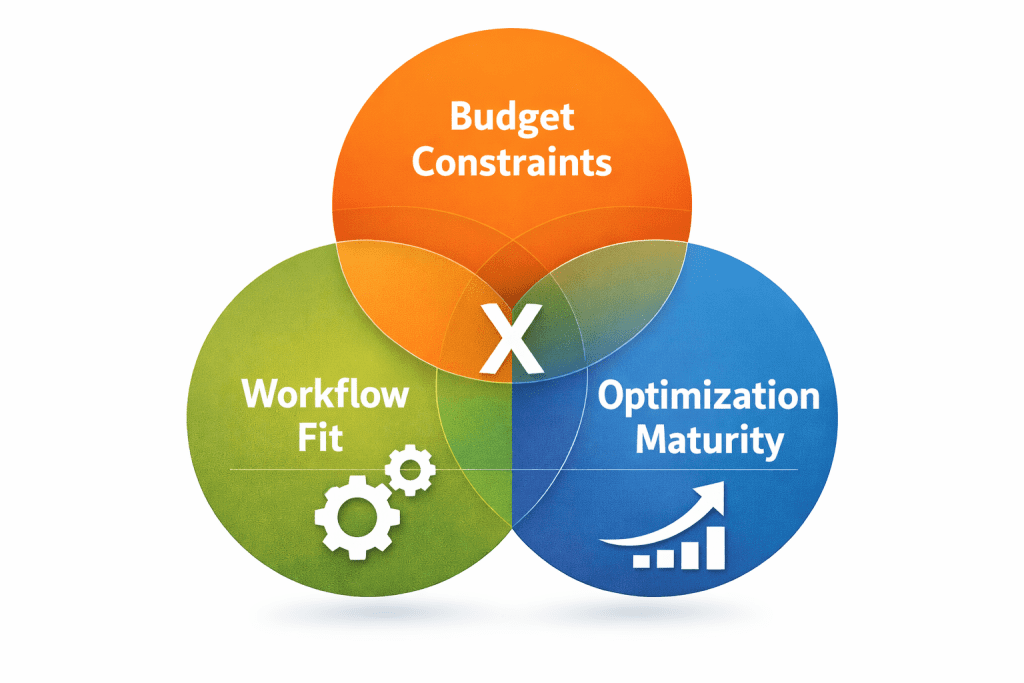
The decision framework: Budget × Workflow × Optimization maturity
1) Budget and procurement reality
Microsoft Clarity is commonly positioned as free-to-use, which makes it easy to deploy broadly. Crazy Egg is positioned as paid, and its plans include operational constraints like tracked pageviews, recording quotas, heatmap report counts, and storage duration. (Details vary by plan.)
Rule of thumb: If budget is the only constraint, Clarity will look like the default. But budget-only decisions often fail later when you need validation, governance, or scalable workflows.
2) Workflow fit: exploratory diagnosis vs repeatable decision-making
Ask what you need to do weekly, not what features exist in a checkbox list. If your workflow is “spot friction fast, fix it, move on,” Clarity can be enough. If your workflow is “diagnose, propose variants, validate impact,” Crazy Egg aligns more naturally because it emphasizes testing workflows alongside observation.
3) Optimization maturity: observation-only vs experimentation-led
Early maturity: observation + lightweight validation is often sufficient. Higher maturity: you need a consistent path from insight → hypothesis → change → validation, and you need to document what you learned. If your activation KPI is sensitive, your team will outgrow “watch recordings and ship edits” faster than you think.
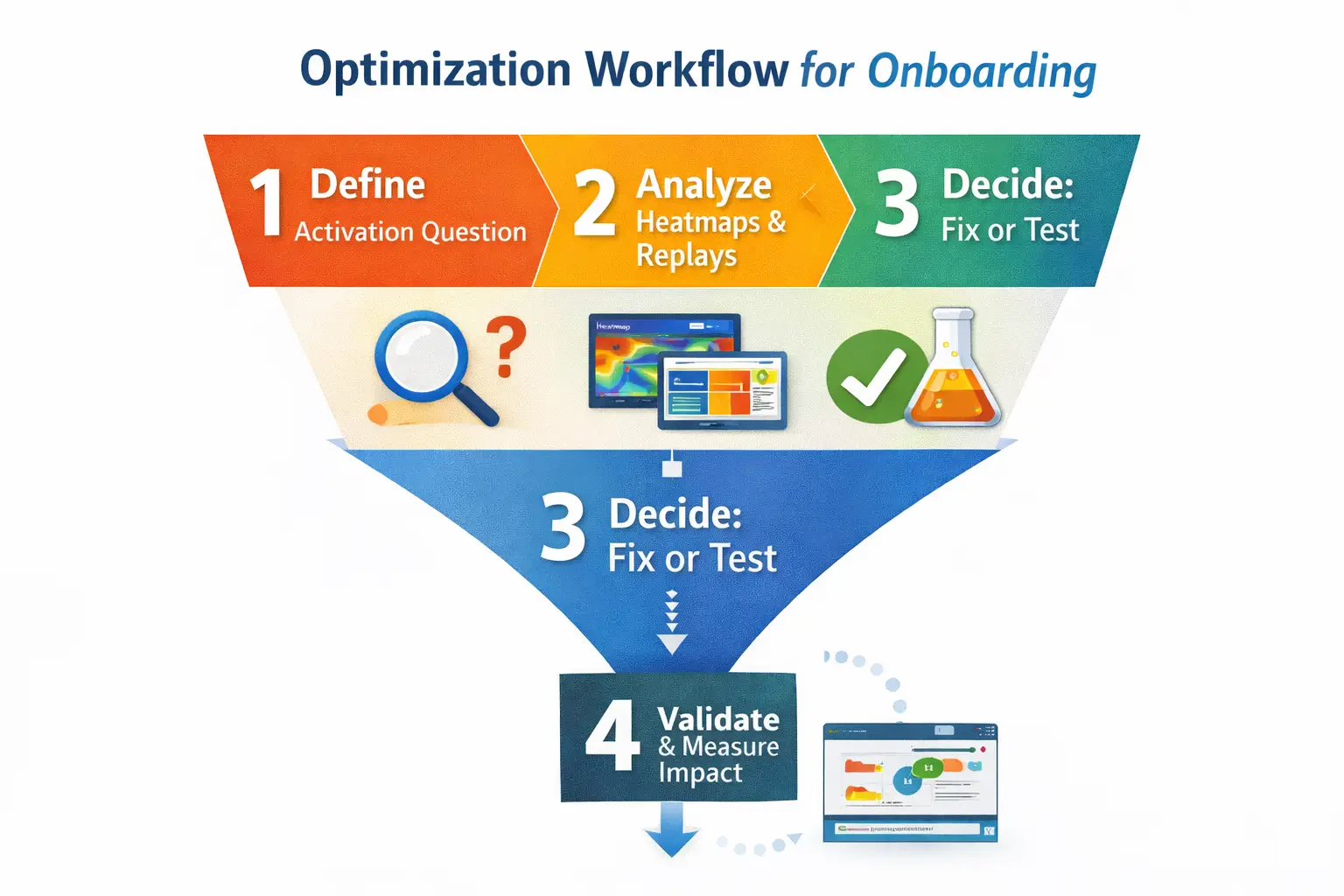
The workflow that makes the choice obvious (4 steps)
Run this workflow once on your onboarding flow, then choose the tool that makes it easiest to repeat.
Step 1: Define the activation question and the slice
Do not start with “watch sessions.” Start with a question your team can act on. Examples: where does the biggest drop-off happen, and which segment is failing. Pick one activation slice.
Step 2: Investigate with heatmaps + replays, but tag the evidence
Use heatmaps for aggregate attention and replays for sequence and intent. Capture the exact step where friction occurs, the pattern, and a small set of representative sessions. Repeated hesitation before the first key action.
Step 3: Decide: direct fix vs experiment
Direct fix when the issue is obvious and low-risk. Experiment when you have competing hypotheses. Ship a fix only when the hypothesis is singular.
Step 4: Validate impact and write down what changed
Compare activation rate before vs after, check segment variance, and confirm you did not create new friction downstream. Prove the activation lift holds by segment.
If you want the “segment → evidence → priority” loop in one place, start with FullSession Lift AI and map changes to your PLG activation workflow.
Operational limits that change real-world fit
Crazy Egg: quotas and retention are part of the product reality
Crazy Egg plans can include constraints like tracked pageviews per month, recordings per month, heatmap report limits, and recordings storage duration. If your activation work requires steady sampling across multiple onboarding variants, quotas can shape what you measure and how often you revisit problems.
Clarity: “free” is real value, but you still have to manage data quality
Clarity’s value is breadth, deployment ease, and cost. The trade-off is that consent can materially change what you can interpret.
Consent and privacy: the hidden decision driver
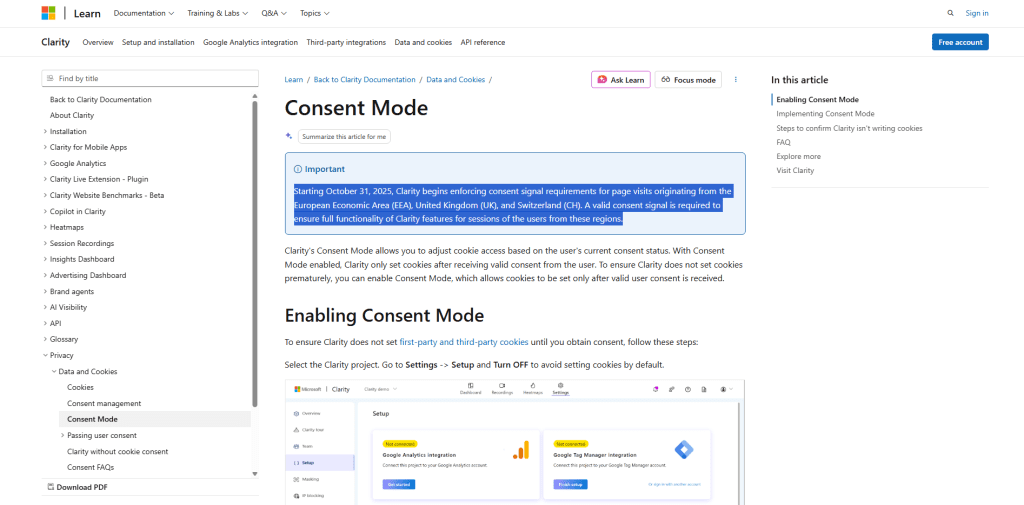
Microsoft’s documentation notes that if cookie consent is not provided, Clarity cannot track a continuous user journey and may treat pages in the same visit as separate sessions. For activation analysis, that can make funnels noisier and “where did they go next?” harder to answer.
If you operate in consent-constrained regions or your consent rates are volatile, choose the tool and workflow that stays trustworthy when journey continuity is imperfect. If you need governance-ready behavior analytics that still supports activation decisions, use PLG activation workflows alongside FullSession Lift AI.
A tool-fit cheat sheet for Growth PMs (activation-led)
If your reality looks like this… |
Clarity tends to fit when… |
Crazy Egg tends to fit when… |
|---|---|---|
You need broad coverage fast |
you want quick exploratory diagnosis and wide rollout |
you can budget for tighter sampling and structured optimization |
Your team ships changes weekly |
you mostly ship direct fixes from clear evidence |
you often need to test competing onboarding hypotheses |
Stakeholders demand proof |
you validate with adjacent metrics and lightweight checks |
you need a stronger experimentation narrative and tooling |
Consent affects data continuity |
you can interpret results with discontinuities |
you invest in a more controlled measurement approach |
Next steps
Run the 4-step workflow once on your onboarding flow. If your bottleneck is “we need broad visibility now,” start with Clarity. If your bottleneck is “we need to validate competing hypotheses,” Crazy Egg will map better to experimentation-led optimization.
If you want to reduce tool sprawl while making activation decisions more defensible, start with FullSession Lift AI and route it into PLG activation workflows. Then, if you prefer a guided evaluation, you can book a demo or start a free trial.
Common follow-up questions
Yes if your team is early in maturity and primarily needs broad, free visibility for exploratory diagnosis. It becomes harder when you need consistent journey continuity, stakeholder-proof validation, or a repeatable experiment loop.
When you need a more structured optimization workflow that includes testing, and you can manage plan constraints like quotas and retention as part of your operating cadence.
If cookie consent is not provided, Clarity cannot track a continuous user journey and may treat pages in the same visit as separate sessions, which can distort onboarding interpretation.
No. Run direct fixes when the hypothesis is singular and low-risk. Run experiments when multiple plausible explanations exist or when activation impact is uncertain.
Use a strict loop: define a slice, capture evidence, decide fix versus test, then validate impact. If your tooling does not make this loop fast, the team will stall.
See what’s costing you, and prove whats fixing it is worth
Watch the real journey, rank every issue by revenue impact, and validate the result against baseline.






.svg)



All systems operational.