AI Is an Interpretation Layer, Not a Replacement: Here Is Why SaaS Survives
Quick takeaway
AI doesn’t replace SaaS. It makes SaaS more valuable. The tools people build with AI lack the multiplayer coordination surface, the ongoing maintenance, and the deep domain knowledge that make software into infrastructure. AI is the most powerful interpretation layer we’ve had, but it needs a shared, persistent system of record to sit on. That system is SaaS.
Use this guide to: Understand why the “AI kills SaaS” narrative misses the fundamental distinction between building code and running a software business, and what separates vulnerable SaaS from products that get stronger with AI.
no CC required
Table of Contents
The conversation so far
Every few years, something kills software. Cloud was supposed to kill on-premise. Mobile was supposed to kill desktop. No-code was supposed to kill developers. Now AI and vibe coding are supposed to kill SaaS.
The pattern is always the same. A new technology makes building easier. People extrapolate from “easier to build” to “no longer need to buy.” Then reality sets in when everyone remembers why buying existed in the first place. According to economic theory pioneered by Ronald Coase, companies decide whether to buy or build software based on exchange costs, which are shaped by how easy it is to specify and enforce contractual terms.
I’ve spent 25 years building, buying, and maintaining software. Here’s what I think most of the current debate gets fundamentally wrong.
Reid Hoffman’s recent piece “Notes from the SaaS Funeral” is the strongest version of the defense. His core argument: software isn’t code you generate once. It’s a living system requiring maintenance, verification, security, compliance, and ongoing refinement. The idea that someone will vibe code their way to enterprise software is, in his words, a distinct flavor of foolishness.
He’s right. And he makes a critical distinction that most commentary blurs: a reduction of margins isn’t the same as being dead. The old model of charging 40-50% margins because alternatives were expensive to build is ending. But the demand for software doesn’t shrink when building gets cheaper. It expands. Jevons’ Paradox does what it always does.
Elena Verna, who leads growth at Lovable, added a dimension Hoffman didn’t cover. She wrote about watching a 22-year-old produce a solid version of her hard-won expertise in 14 minutes. The productivity gains are real. But the reward for being 10x more efficient isn’t free time. It’s the expectation to do 10x more. The tooling that enables that efficiency still needs to exist, be maintained, and be trusted.
She also named something I keep seeing: “AI confidence theater.” Everyone has a system, a stack, a workflow that supposedly changed their life. It creates an illusion that everyone else has it figured out. In reality, most teams are scrambling to keep up and hesitant to admit what they don’t understand yet.
Namek T. Zu’bi, a global VC investor who has backed over 60 SaaS companies, pointed to Hoffman’s analysis and made a useful distinction: people are confusing a shift in the moat with total extinction. The old wrapper model is dying. But the new moat isn’t “we wrote more code.” It’s deep domain knowledge, proprietary data that makes AI useful, and security and compliance infrastructure nobody wants to rebuild from scratch.
Ivan Bercovich at ScOp VC added the financial reality: SaaS companies will continue to exist and thrive. But the asset class changes. Multiples go down. Valuations stay down. It’s a repricing, not an extinction. Many investors have responded to these AI-driven shifts by reassessing their positions in SaaS and software markets, leading to broader market reactions and a collective reevaluation of software valuations. The term ‘SaaSpocalypse’ has even emerged to describe the fear that AI could eliminate the need for traditional SaaS products, fueling significant market sell-offs and anxiety about the future of the industry.
All of these perspectives are correct. But I think there’s an argument missing from this conversation that’s more fundamental than any of them.
The build-vs-buy graveyard
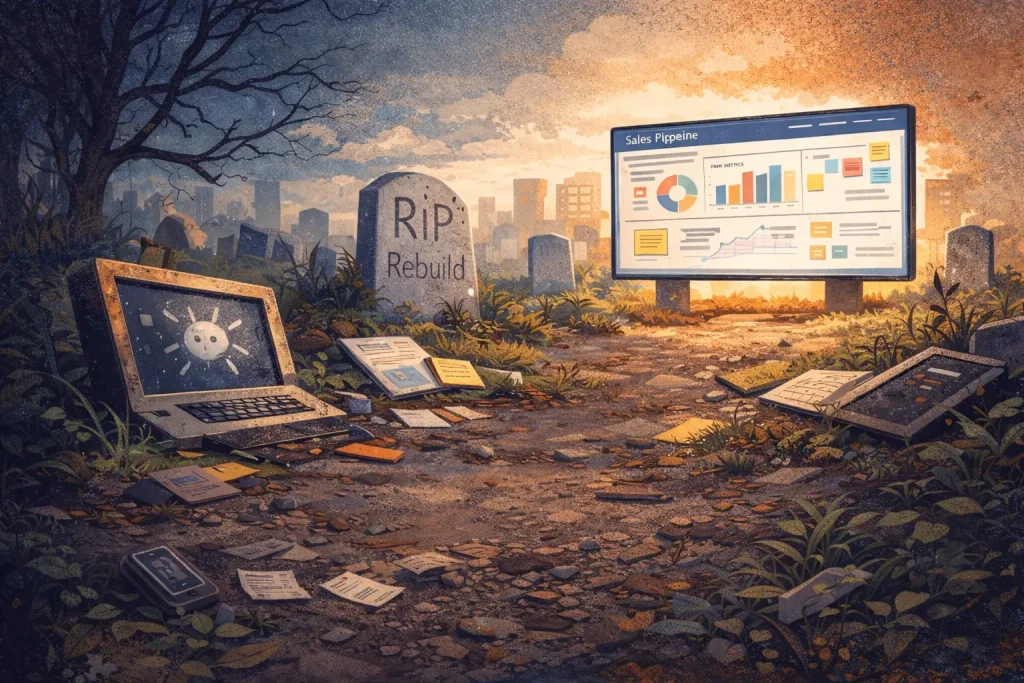
The history of software is littered with tools someone built and nobody maintained.
I’ve watched this play out dozens of times over 25 years. A team identifies a problem. They build something internal. It works. Everyone celebrates. Six months later the requirements shift, the data model changes, an upstream API breaks, a regulation changes. The person who built it moved to a different project. Or left entirely. The tool doesn’t get updated. It starts producing wrong outputs. People work around it. Eventually it sits there, technically running, functionally dead.
AI accelerates this cycle dramatically. You can now build the initial version faster than ever. An afternoon instead of a quarter. That feels like progress. But it compresses the time-to-build without doing anything about the time-to-maintain. If anything, AI-generated code is harder to maintain because the person who prompted it into existence may not fully understand the implementation they’re now responsible for.
The key question has never been “can you build it?” The key question is “do you want to be in the software business?”
Maintaining custom software is a business. It requires ongoing attention, testing, adaptation, and investment. Data changes. Process requirements change. Competitors change. New technologies emerge. Regulations shift. All of this requires someone to adapt and update the software continuously. If that someone is your team, you’re now in the software business whether you intended to be or not. For core, commoditized systems like accounting, most companies prefer to rely on established vendors with proven, well-maintained solutions rather than building and maintaining their own in-house tools. Building in-house only makes sense when you have proprietary data, unique workflows, or supporting infrastructure that truly require a custom solution.
SaaS isn’t code you rent. SaaS is someone else agreeing to run that business for you. To adapt to changes for you. To handle compliance for you. To improve the thing continuously so you can focus on what you actually do.
This is why a lot of internal AI projects are already dying quietly. They launched with fanfare. Nobody budgeted for upkeep because the build was so fast it felt free. Nothing is free. The cost just moved from development to maintenance, and most teams don’t have a line item for that.
As AI technology evolves, companies are increasingly questioning whether to build their own solutions or continue purchasing from established vendors—especially for commoditized systems like accounting or HR software, where vendor stability and technical expertise are critical.
Every time I see someone demonstrate vibe coding a tool in 14 minutes, I think: great. Now maintain it for 14 months. That’s where the story changes. Product teams that track real user behavior over time understand this instinctively: the launch is the easy part, and what users do after launch is what determines whether the thing actually works.
Why does the single-player vs. multiplayer distinction matter?
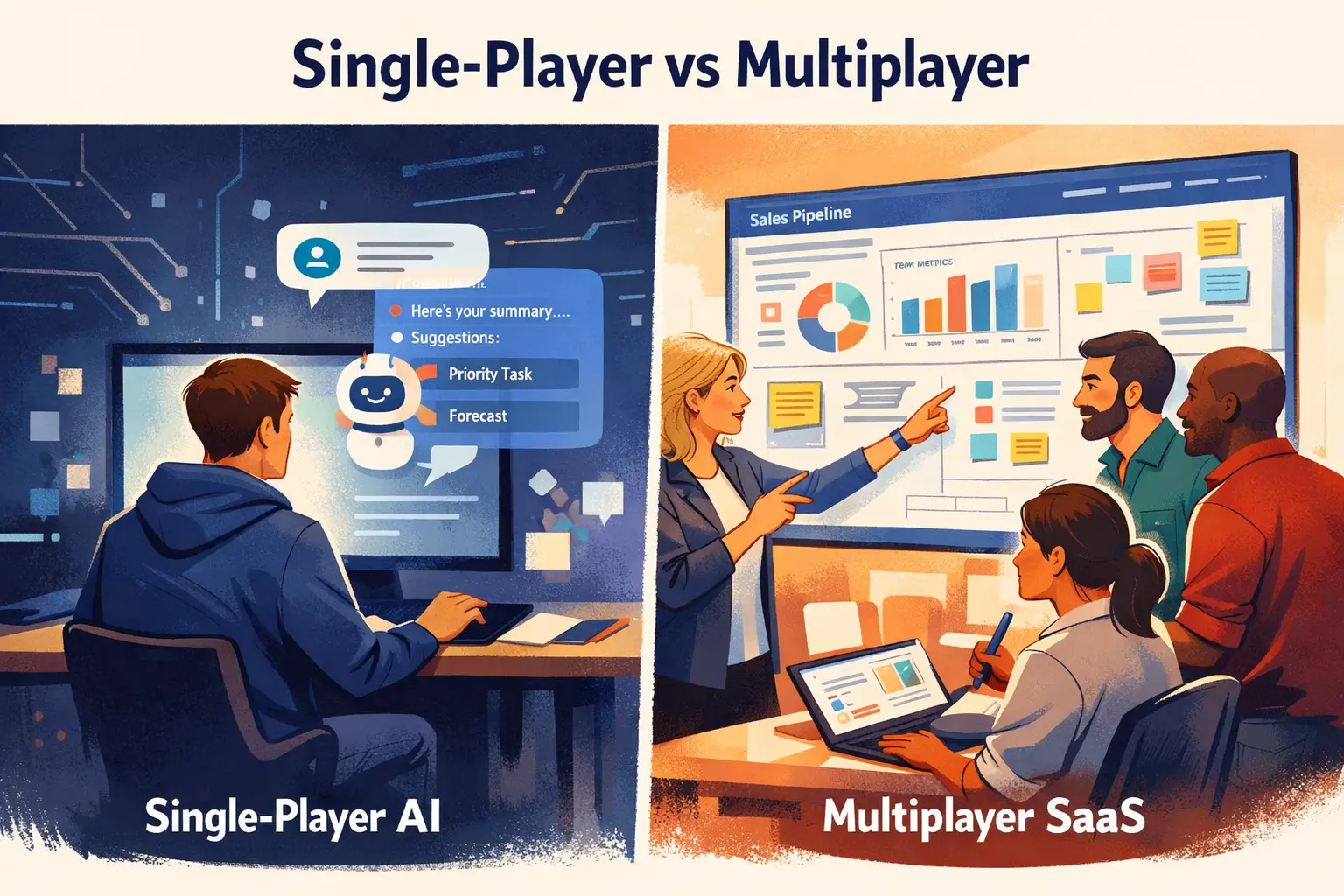
The real value of SaaS isn’t the code. It’s the shared surface. Most of the AI-kills-SaaS debate focuses on whether AI can replace the code itself. That misses the point entirely, because SaaS products serve as multiplayer coordination layers where teams align on the same data, make decisions from the same view, and hold each other accountable against shared evidence.
Here’s the part I haven’t seen anyone address. Not Hoffman. Not Verna. Not the bears.
Everyone is arguing about whether AI can replace the code. But SaaS isn’t just code. SaaS is a shared surface.
Think about what a CRM actually does. Yes, it stores contacts and tracks deals. But the real value is that the sales rep, the sales leader, the marketing team, and the CEO all look at the same pipeline. They reference the same data. They coordinate decisions based on a shared, persistent view of reality.
AI can’t do that. AI is single-player.
AI can read your CRM and tell you which deals are at risk. AI can summarize your pipeline and recommend where to focus. Increasingly, AI agents interact with enterprise systems using natural language, exposing capabilities and making software more accessible and intuitive for users. AI can draft the follow-up email. These are valuable things. But AI can’t be the system of record that multiple humans reference to stay aligned.
I see this in my own work constantly. A session replay isn’t valuable because one person watches it. It’s valuable because the PM, the designer, and the engineer all watch the same recording and align on what to fix next. The shared context is the product. AI can surface which recordings matter most. AI can’t replace the moment where three people look at the same evidence and decide together.
This is true across every SaaS category. Product management tools aren’t valuable because they track tasks. They’re valuable because the whole team sees the same board. Analytics platforms aren’t valuable because they generate charts. They’re valuable because the growth lead and the CMO look at the same dashboard in the same meeting and decide what to do. SaaS categories where workflows are easily replicated by AI—meaning the processes are standard, observable, and have low switching costs—are the most vulnerable to being automated or replaced by AI agents.
The multiplayer layer is what makes software into infrastructure. You can’t prompt your way to shared infrastructure.
What does it mean that AI agents are an interpretation layer?
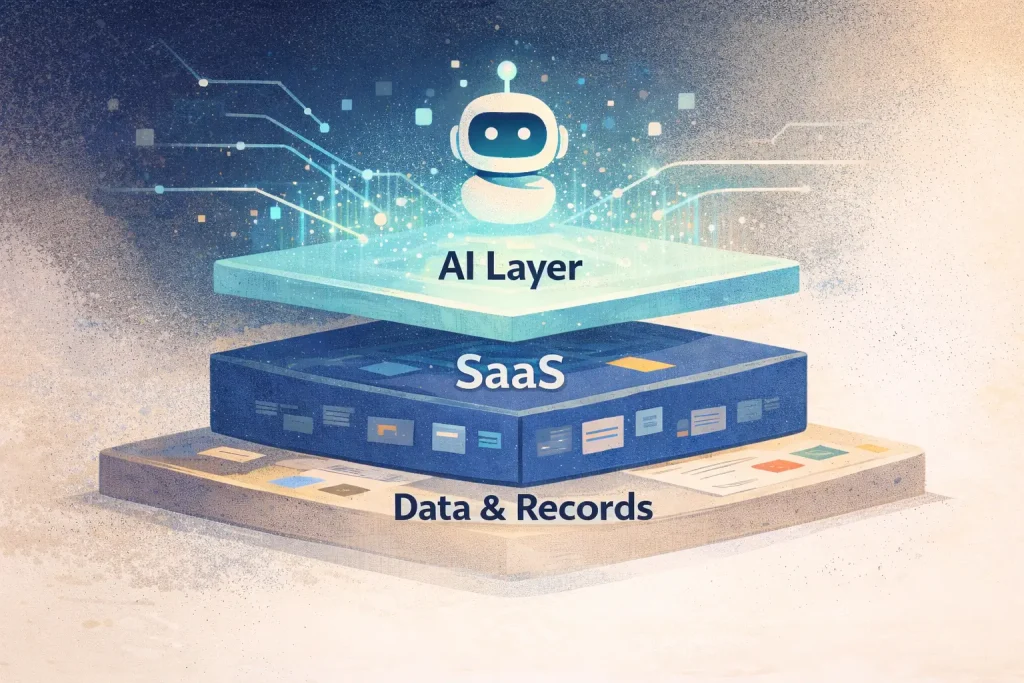
AI is the most powerful interpretation layer we’ve ever had: it reads, summarizes, prioritizes, and recommends across data sources. But an interpretation layer needs a persistent, shared surface to sit on, and that surface is SaaS.
So where does AI actually fit?
AI reads, summarizes, prioritizes, and recommends. It can look at data across systems and surface patterns humans would miss. It can compress hours of analysis into seconds.
But an interpretation layer needs something to interpret. It needs a persistent surface to sit on. It needs a system of record that multiple humans trust.
That’s SaaS. AI doesn’t replace it. AI makes it more valuable, because the shared surface now has an intelligence layer on top of it.
The CRM becomes more useful when AI surfaces the at-risk deals. The analytics platform becomes more useful when AI highlights the anomalies before the Monday meeting. A session replay tool becomes more useful when AI tells you which of the 500 recordings actually matters, so your product team can focus on the sessions that reveal real friction instead of scrubbing through hours of video.
In every case, AI enhances the shared surface. It doesn’t eliminate the need for one.
Agentic AI and Its Applications
Agentic AI—artificial intelligence models capable of making autonomous decisions and taking action without human intervention—is rapidly reshaping the enterprise software landscape. As these AI agents become more sophisticated, many investors and industry observers speculate that agentic AI could kill SaaS by replacing traditional SaaS solutions with fully automated, AI-powered systems. But the reality is far more nuanced.
Rather than spelling the end for SaaS companies, agentic AI is poised to become a powerful force for transformation within the software business. By integrating AI agents into their platforms, SaaS providers can deliver smarter, more adaptive solutions that help businesses accomplish tasks faster, reduce operational liability, and unlock new value for their customers. For example, AI-powered chatbots can handle complex customer support queries around the clock, while AI-driven analytics tools can surface actionable insights from massive datasets in seconds—capabilities that would be difficult or costly to replicate in-house.
In the context of software development, agentic AI tools are already automating routine coding, testing, and deployment tasks. This not only accelerates the creation of new software but also frees up engineering teams to focus on higher-level problem-solving and innovation. As a result, SaaS companies can bring new products to market more quickly, improve software quality, and optimize unit economics by reducing development and maintenance costs.
However, the rise of agentic AI also introduces new challenges. As AI agents take on more responsibility for business functions, questions of operational liability, transparency, and risk management become critical. SaaS providers must ensure that their AI models are explainable, fair, and aligned with customer expectations—especially in regulated industries or when handling sensitive customer data. Building trust in AI-driven systems is essential for widespread adoption in the enterprise software market.
Some companies may consider building their own AI models in-house to maintain control and tailor solutions to their unique needs. While this approach offers customization, it often comes with higher costs, increased complexity, and greater operational risk. For most businesses, partnering with SaaS providers who specialize in integrating AI into robust, well-maintained platforms is a more practical and scalable path. These SaaS solutions allow companies to benefit from the latest advances in artificial intelligence without taking on the full burden of development, compliance, and ongoing support.
Ultimately, agentic AI is not a threat to SaaS—it’s an opportunity. SaaS companies that embrace AI agents and integrate them thoughtfully into their products will be able to deliver more value, adapt to changing customer needs, and thrive in an AI-first world. The future of the software market belongs to those who can harness the power of agentic AI to create smarter, more resilient SaaS solutions that help businesses achieve real outcomes, not just automate tasks. By focusing on innovation, transparency, and customer-centric design, SaaS providers can ensure they remain indispensable partners in the evolving landscape of enterprise software.
Vibe Coding and AI
The rise of vibe coding—a blend of human intuition and advanced AI models—is rapidly reshaping the enterprise software landscape. At its core, vibe coding empowers teams to build AI agents that integrate seamlessly with existing SaaS solutions, unlocking new ways to automate business functions and deliver more value to customers. But as these AI-powered tools become more capable, a fundamental question emerges: will vibe coding and AI replace the traditional software business, or simply transform it?
In reality, the answer reflects the same pattern we’ve seen throughout software history. Each wave of innovation, from cloud to no-code, has sparked fears that new technology will kill SaaS or make expensive software obsolete. Yet, what actually happens is more nuanced. AI models and agentic AI don’t eliminate the need for SaaS companies—they change the way software is built, delivered, and maintained. Instead of replacing human developers, AI augments their abilities, allowing them to focus on designing smarter business functions and orchestrating complex workflows.
Today’s most forward-thinking SaaS providers are already integrating AI into their platforms, using foundation models to power everything from automated insights to intelligent workflow automation. These AI-driven systems can analyze vast amounts of customer data, identify friction points, and even suggest improvements in real time. For example, AI agents can now accomplish tasks that once required manual intervention, reducing operational liability and freeing up teams to focus on higher-impact work.
This shift is driving a new era of software development, where companies can rapidly create and deploy new software products tailored to their unique needs. The cost of building and maintaining these solutions is dropping, improving unit economics and making it easier for businesses to experiment and innovate. At the same time, the emergence of agentic AI—autonomous agents that can act on behalf of users—opens up new possibilities for automating routine processes and delivering personalized experiences at scale.
However, this transformation isn’t without its challenges. As AI becomes more deeply embedded in SaaS products, companies must grapple with integrating massive amounts of data, ensuring transparency, and managing the risks associated with autonomous systems. The need for deep domain knowledge, robust infrastructure, and ongoing maintenance remains as critical as ever. In fact, as AI tools become more powerful, the value of a well-maintained, multiplayer SaaS platform—where teams can align on shared data and decisions—only increases.
Some investors worry that AI will kill SaaS by making it easy for companies to build their own solutions in-house, bypassing traditional vendors. But the reality is that most companies don’t want to take on the operational liability of maintaining complex systems themselves. Instead, they’re looking for SaaS products that leverage AI to deliver more value, reduce costs, and adapt quickly to changing business needs.
Looking ahead, the future of the software market will be shaped by those who can harness AI to create smarter, more efficient SaaS solutions. Companies that invest in AI-first platforms, build proprietary data assets, and focus on delivering real outcomes for their customers will thrive. The next wave of software innovation will be defined not by who can build code the fastest, but by who can create systems that deliver lasting value in an AI-driven world.
In short, vibe coding and AI aren’t here to replace SaaS—they’re here to elevate it. By embracing these technologies, SaaS companies can unlock new business models, improve customer outcomes, and secure their place in the future of enterprise software. The winners will be those who see AI not as a threat, but as the next great tool for building software that matters.
What SaaS categories actually die?
Hoffman is right that margins compress. Zu’bi is right that the old wrapper model is dying. Bercovich is right that the asset class is repricing. Traditional per-seat licensing is expected to decline in favor of usage-based or outcome-based models, where customers pay for specific results.
Some SaaS categories will get absorbed. Simple tools that are essentially a database with a UI are vulnerable. The business model for SaaS is evolving as AI-driven changes push companies to rethink how they deliver and charge for value, moving away from just providing access to software toward delivering measurable outcomes.
But SaaS products that serve as multiplayer coordination surfaces, where the value is in shared context, shared decisions, and shared records, those don’t get replaced by prompting. They get enhanced by AI.
The companies that die won’t die because AI killed SaaS. They’ll die because they confused having a product with having a moat. They had a UI and a subscription model and called it defensible. It never was. AI just made that obvious faster.
This doesn’t apply to every category evenly. Tools with deep integrations, compliance requirements, and cross-team workflows have more natural protection than single-user utilities. As SaaS pricing shifts from traditional seat based pricing to usage-based or outcome based pricing models, industry consolidation is likely as profit margins shrink. The future of SaaS may see increased consolidation, with fewer, more specialized vendors dominating the market.
What survives and gets stronger?
Three things determine whether a SaaS company comes out of this stronger.
First, deep domain knowledge built into the product over years. Not just code, but understanding how teams in a specific industry actually work, what decisions they make, what edge cases they hit, and what they need to see at which moment. You can’t prompt that into existence. It comes from years of building alongside customers. This is the thing the vibe coding crowd fundamentally doesn’t understand. The code is the easy part. The decisions encoded in the code are what took a decade to learn.
Second, proprietary data that makes AI more useful. As Zu’bi pointed out, competitive advantage has shifted from the code itself to how AI is tuned on a company’s specific data and operational history. When an AI system has been trained on years of customer-specific workflows, switching costs go up, not down. The AI gets better the longer you use the product. That’s a moat that deepens with time. SaaS companies that successfully sell software differentiate themselves by integrating AI into their solutions and leveraging proprietary data to deliver unique value that competitors can’t easily replicate.
Third, the multiplayer surface itself. The shared, persistent layer where humans coordinate. This is the thing AI can’t be. AI can make it smarter, faster, and more useful. AI can’t replace the need for humans to look at the same thing and agree on what to do.
Verna is right that productivity gains get absorbed. The teams absorbing those gains still need shared surfaces to coordinate. As teams move faster with AI, the need for a shared reference point increases. Speed without alignment is just chaos.
Behavior analytics tools like FullSession sit squarely in this category. When a PM, a designer, and an engineer all watch the same session replay, review the same heatmap data, and trace the same conversion funnel, they’re using a multiplayer surface to make better decisions together. AI can tell you which sessions to watch first. It can’t replace the act of watching together and deciding what to ship next.
The bottom line
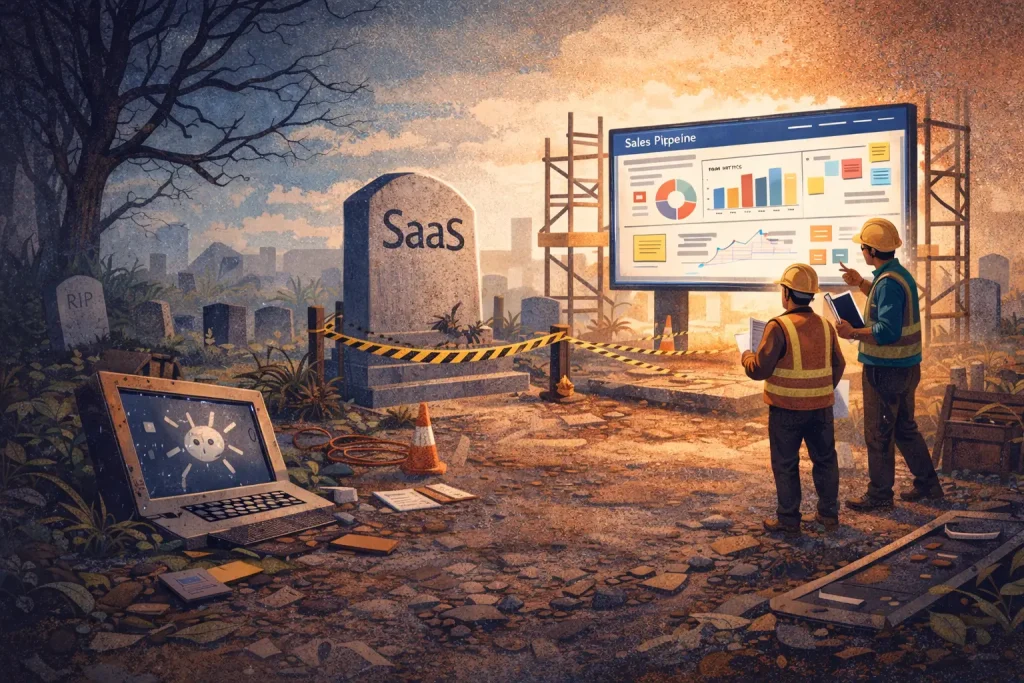
SaaS isn’t dead. The SaaS model where you charge premium margins because building was hard and competitors were slow? That’s dead. It should be.
What remains is the hard stuff. Domain expertise that can’t be prompted into existence. Proprietary data that makes AI useful instead of generic. Compliance and security infrastructure nobody wants to build from scratch. The multiplayer surface where teams make decisions together. And the ongoing maintenance, adaptation, and improvement that turns code into a product and a product into infrastructure.
AI is the best interpretation layer we’ve ever had. But an interpretation layer needs something to interpret. It needs a surface to sit on. It needs a system of record that multiple humans trust and reference.
That’s SaaS. That’s what survives.
If you’re building one, the question isn’t “will AI kill my product.” The question is “does my product have enough depth, enough domain knowledge, and enough multiplayer value that AI makes it stronger instead of replaceable?”
If the answer is yes, you aren’t at a funeral. You’re at the most important upgrade cycle in software history.
Explore how FullSession helps product teams turn shared behavioral evidence into better decisions, faster.
Common follow-up questions
Answers to common questions about AI, SaaS survival, and what changes next.
Will AI make SaaS products cheaper?
Yes, but cheaper doesn’t mean dead. As building gets easier, SaaS margins will compress from the 40-50% range toward something lower. The demand for software expands when costs drop. Jevons’ Paradox applies here directly. Companies that compete on deep domain knowledge and multiplayer value will maintain healthy margins. Those that competed only on “we wrote the code” will struggle.
Can vibe coding replace buying SaaS?
For one-off, single-user tools, sometimes. For anything that requires ongoing maintenance, compliance, multi-team coordination, or integration with changing APIs, no. The initial build is the easy part. Maintaining custom software for months or years requires ongoing investment most teams aren’t prepared to make.
What does “multiplayer surface” mean in practice?
A multiplayer surface is any shared, persistent view of data that multiple people on a team reference to make decisions together. CRMs, project management tools, analytics dashboards, and session replay platforms all function as multiplayer surfaces. AI can enhance what these surfaces show you, but it can’t replace the coordination they enable.
Which SaaS categories are most vulnerable to AI disruption?
Simple tools that are essentially a database with a UI. Single-user utilities where the only moat was the cost of building an alternative. Products without deep integrations, compliance requirements, or cross-functional workflows. If switching costs were already low, AI just lowered them further.
How does AI make existing SaaS products better instead of replacing them?
AI acts as an interpretation layer on top of existing systems of record. It can surface at-risk deals in a CRM, highlight anomalies in analytics, or prioritize which session recordings to watch first. In each case, AI improves the value of the shared surface without eliminating the need for it.
Is the “AI kills SaaS” narrative just hype?
Partly. The productivity gains from AI are real, and margin compression is happening. But the prediction that SaaS dies entirely confuses the ability to build code with the willingness to maintain a software business. The demand for shared coordination tools, domain-specific intelligence, and continuous maintenance doesn’t disappear when building gets faster.
Related answers
FullSession session replay
Watch real user sessions to see exactly where visitors struggle, hesitate, or encounter errors, then share that evidence across your team.
Solutions for product management teams
See how product teams use behavior analytics to align on priorities, validate decisions, and ship improvements faster.
FullSession heatmaps
Visualize aggregate click, scroll, and attention patterns to identify friction without watching individual sessions.
Conversion funnels
Map multi-step user journeys and pinpoint where drop-offs happen so your team can focus fixes on the highest-impact steps.
See how your team uses the same behavioral evidence to ship better, faster
FullSession combines session replay, heatmaps, funnels, feedback, and error tracking in one platform. Your whole team watches the same sessions and makes decisions from the same data. Set up in under 5 minutes.
No card required

Roman Mohren is CEO of FullSession, a privacy-first UX analytics platform offering session replay, interactive heatmaps, conversion funnels, error insights, and in-app feedback. He directly leads Product, Sales, and Customer Success, owning the full customer journey from first touch to long-term outcomes. With 25+ years in B2B SaaS, spanning venture- and PE-backed startups, public software companies, and his own ventures, Roman has built and scaled revenue teams, designed go-to-market systems, and led organizations through every growth stage from first dollar to eight-figure ARR. He writes from hands-on operator experience about UX diagnosis, conversion optimization, user onboarding, and turning behavioral data into measurable business impact.