Author: Mohamed Sehwail

  • 9 Amazing Ways Session Recording Enhance Digital Customer Experience

    9 Amazing Ways Session Recording Enhance Digital Customer Experience

    Use session recording to optimize CTA placement, fix bugs and errors, and eliminate confirmation bias

    Session recording, also known as session replay, is emerging as a key tool for digital customer experience specialists who want to identify website user pain points and improve overall customer experience.

    Not that long ago, when designers, marketers, and developers wanted to gain insight into how users interact with web pages, they had to rely on recruited end-users and complicated, error-prone usability studies. These studies would examine how users navigate through a site. While there were pros to this approach, there were also plenty of drawbacks. Some of the drawbacks were while users could say they were frustrated at a certain point and may have had difficulty explaining just what it was that frustrated them.

    Now, much better & improved digital customer experience intelligence can be gained through session recording and session replay videos, which can reveal digital customer experience trends and be employed by your digital experience manager.

    What is a session replay video?

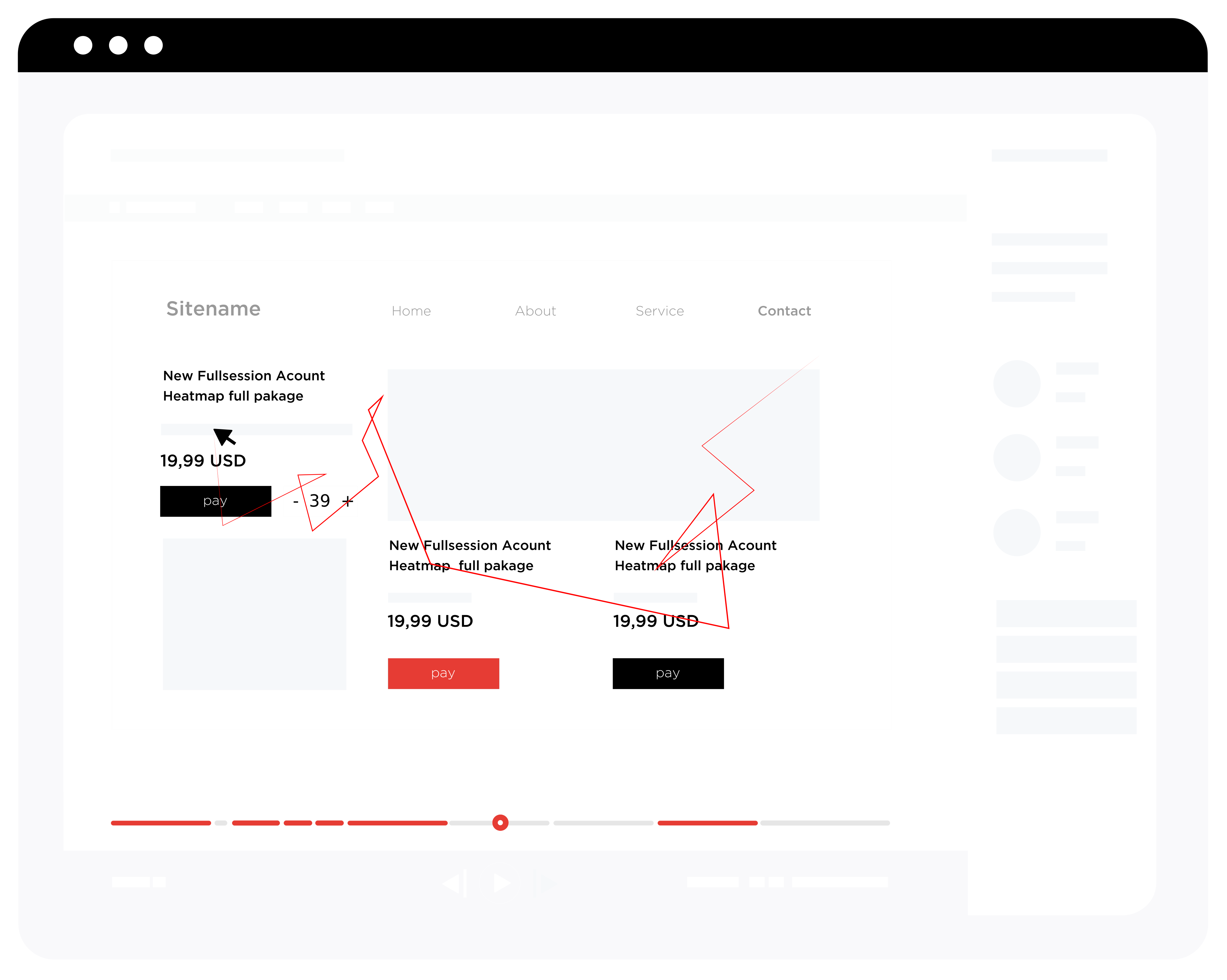
    Session replay videos are recordings that show the exact tracking of a mouse, page scrolling, tap locations, page clicks, page-to-page navigation, and total session duration. While simple analytics tools can provide some of that information, like session duration, they can’t show mouse direction, which is a much clearer indicator of how users navigate a site and where the hang-ups may be.

    Session replays are literal replays of user page interactions — basically like looking over the shoulder of a user in real-time. They show you what users do, how they do it, where they struggle, and what is slowing or blocking conversions. They also allow you to empathize with page visitors and understand their experiences with the goal of building a stronger page.

    Digital experience managers: Use session replay to identify problems and increase conversions

    With powerful session replay tools at your disposal, you can map digital engagement and generate a detailed explanation of how users navigate around your site. Pair that with behavioral analytics software, and you have unparalleled insight into improvements you can make to your user interface.

    Once generated, session recordings are easy to share and watch, which makes it easy for teams to collaborate before making tough decisions about layout and optimization.

    Just because you have session replay video capabilities is not enough. You need to know how to use that information to make changes to your pages that will drive conversions.

    Here are the top nine ways to use session recordings to improve your site performance

    1. Find out if users are seeing the CTA

    Of course, you know where the CTA is — you agonized over the wording, timing, and location. But that does not mean users will necessarily see it. Your CTA could be hidden with poor or unclear wording, or be obfuscated by nearby elements. Or it could even simply be difficult to find based on color choice and background images. If users miss your CTA or don’t understand what it will deliver to them, the effectiveness of your entire site is compromised!

    2. Understand if users run into any errors

    You can improve digital engagement by understanding where users may encounter errors. The most common errors are 500 internal server errors, 401 unauthorized errors, 400 bad requests, 403 forbidden, 404 not found, 503 services unavailable, and connection refused by the host. Encountering any of these throws up major red flags for users and drives traffic away.

    3. Discover any bugs on the site

    Session replay can be highly useful for identifying common website bugs. Use it to discover problems like browser incompatibility, validation fields, date control, or crashes caused by button clicks. Like it does for errors, running into any of these will raise alarms with users. And it brings your traffic to a virtual standstill.

     4. Gain insight into whether your UI is confusing website visitors

    With detailed session playback, you can understand how your UI design may throw off users. It could happen either by sending them to the wrong pages or wasting time looking for contact, sign-up checkout, or shopping cart buttons. The session playback can be useful regardless of user platforms. The tracking is just as easy on phones and tablets as it is on desktops and laptops.

    5. Eliminate confirmation bias in your own UX analysis

    Confirmation bias is the tendency to adopt a specific view or determination and then place outsized value on information that backs that view up — to the expense of perhaps more pertinent information which argues against it. Put another way, if your hunch is that users can’t find your CTA button, then session playback can shows if that’s right or not.

    6. Identify aimless scrolling

    Aimless scrolling means users are moving around your page and between pages. And they are not seeing the content they are looking for. By understanding precisely where users track their mouses, you can effectively place key website components.

    7. Learn if users hesitate to click the CTA button — an indication they may not trust the seller

    If users hover around CTA buttons but don’t click, this may indicate they don’t trust the site, the button, or the transaction process. Identifying the reasons behind that are another matter, but knowing it’s there is the first step in addressing it.

    8. Uncover content layout snafus

    Website design can be tricky — are your important links hidden or require too much scrolling to find?. Session recording will tell you if the links must be moven to more optimal locations.

    9. Search for best patterns in digital customer experience hiccups

    A single or even a handful of wayward visitors does not necessarily mean your site has fundamental UX/UI issues. But a pattern of confused and frustrated visitors who eventually give up shows that you have critical errors you need to address — now. Look for patterns like users who click on dead areas. And observe patterns where visitors click on a particular link only to click back to the previous page immediately. Also, look for patterns in which visitors fill out forms incorrectly (like first name/last name or city/state mixups). And visitors who may mistakenly highlight sections of the page. Patterns like these are cue cards that you have UX/UI issues to fix.

    Intelligent tools like those from Fullsession can identify these problems and more, allowing you detailed, smart insight into how visitors interact with your page and into digital customer experience trends. Fullsession provides behavioral analytics software that improves digital customer experience to show you precisely how users engage with your site and its content.

  • What is Website Heatmap Tracking tool? | Best Benefits of using Heatmaps

    What is Website Heatmap Tracking tool? | Best Benefits of using Heatmaps

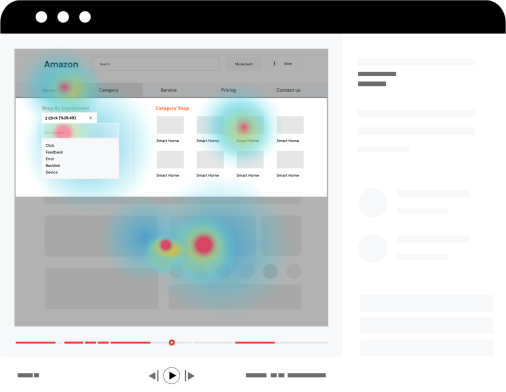
    A website heatmap is a graphical representation of the data on your website pages. Different values of the data are represented by different colors which reveal the user activity. Website heatmap tracking tools are an amazing way to figure out the sections of your web pages where your users spend the most time, the sections where they click or scroll, and the sections that they ignore.

    Why use website heatmap tracking tools?

    To increase the level of digital engagement

    By identifying user’s clicks, scrolls, behavior on your website, it becomes easier to identify critical digital engagement touchpoints. Thus it helps you make the necessary changes to the website to make it more engaging for the users. And also it would enhance the digital customer experience. In the absence of a higher level of digital engagement, you can formulate new strategies to reinforce users’ digital engagement on your business website.

    To find out the user issues on the website

    Sometimes, there are some sections of your website that may propose any sort of complexities or difficulties to the users. As a result, there are chances that those users stop returning to your website in the future. To avoid losing clients due to a bad digital customer experience, a free website heatmap tool will help you figure out user issues and resolve them.

    Identify if users are utilizing the main buttons or sections

    Behavioral analytics software such as those provided by FullSession identify if the users are utilizing the main buttons or visiting the main sections of your website. Website heatmap software would help you find out if your users are clicking on the CTA’s (call to action) buttons or not. It may also show you if your website users are accessing the important sections of your website or not. Thus, you would be aware of the fact if your website’s main sections/buttons are effective or if they are not catching the customers’ attention.

    To see what elements are distracting or attracting customers

    It happens sometimes that few sections of a website distract the visitors from the main or important sections. At the same time, they could be attracted by the sections that are not important. Many free Website heatmap tools will show you a graphical representation of what attracts or distracts the customer

    What sections need improvements or reorganization

    Through website heatmap, you can detect which sections of your website need improvement or reorganization. It becomes easier to identify sections of your website that should appear on top to grab the user’s attention. And it will also give you an idea about which sections should come later. Similarly, it can also help you identify the essential changes that your website needs for a better user experience. Through digital analytics, you can make sure to maximize the conversion rate. And increase revenue on your website by improving the digital experience for value-driven for your customers.

    Website Heatmap for improved optimization

    Behavioral analytics software plays a crucial role in improved optimization of the varying segments of your website. For better optimization, FullSession, heat mapping tool allows you to segment your visitors’ interactions by multiple filters such as geography, traffic sources, user attributes, device, etc.

    Try FullSession interactive heatmap tracking tool!

    FullSession interactive heatmap offers you a  dynamic digital experience to make the best use of heatmaps. Static website heatmaps only plot graphical representation on static pages such as landing pages. FullSession interactive website heatmaps will allow you to have a live and dynamic experience. Whether dynamic URLs on your website such as sliders, side panels, drop-down menus, popups, or specific elements, they would always be tracked without being missed. Instead of waiting for processed data on a static website heatmap, you can now access real-time data to track customers’ behavior.